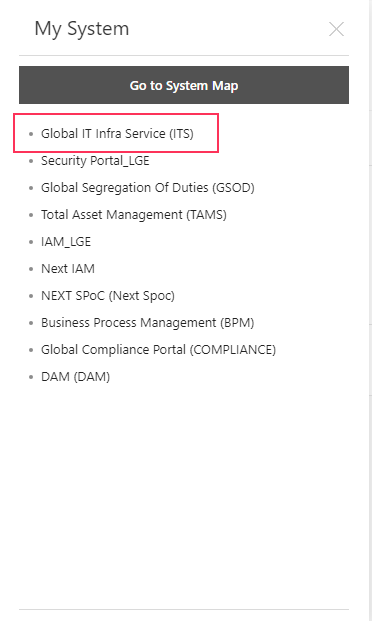
1.Go to My system> System Map> Find Global IT infra Service (ITS)
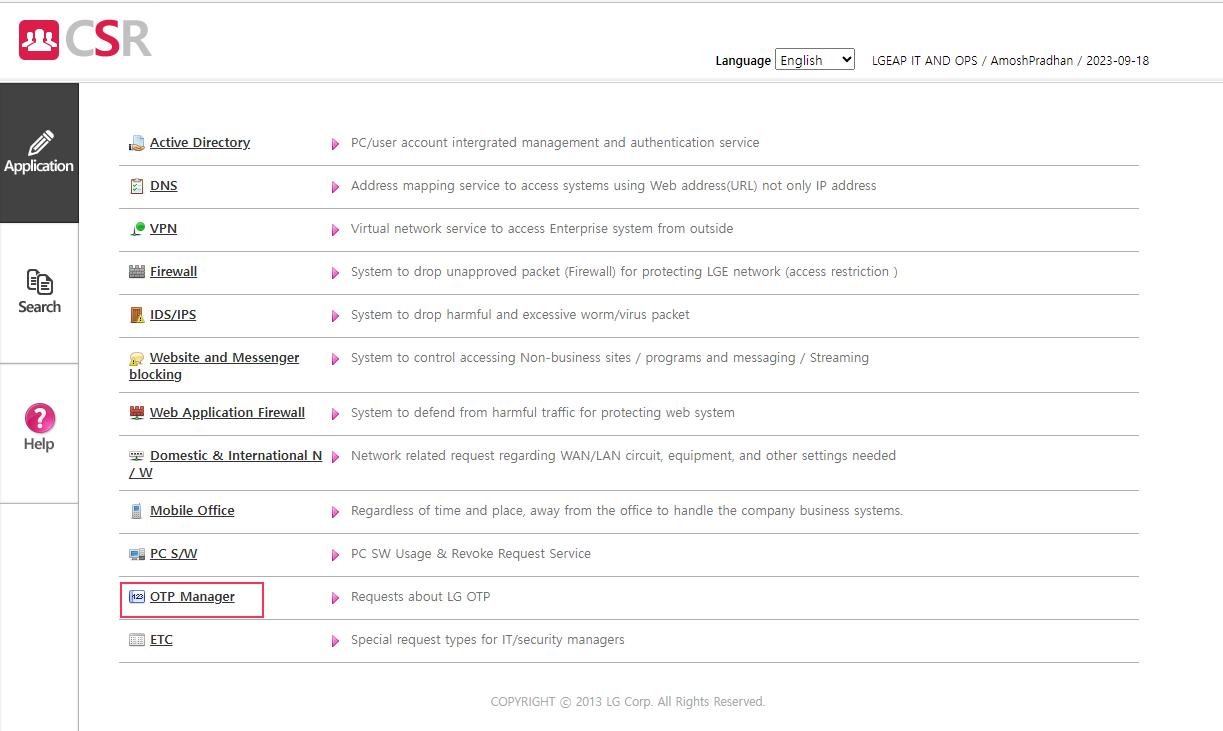
2. Once you're in the System> Select OTP Manager as highlighted with red color>
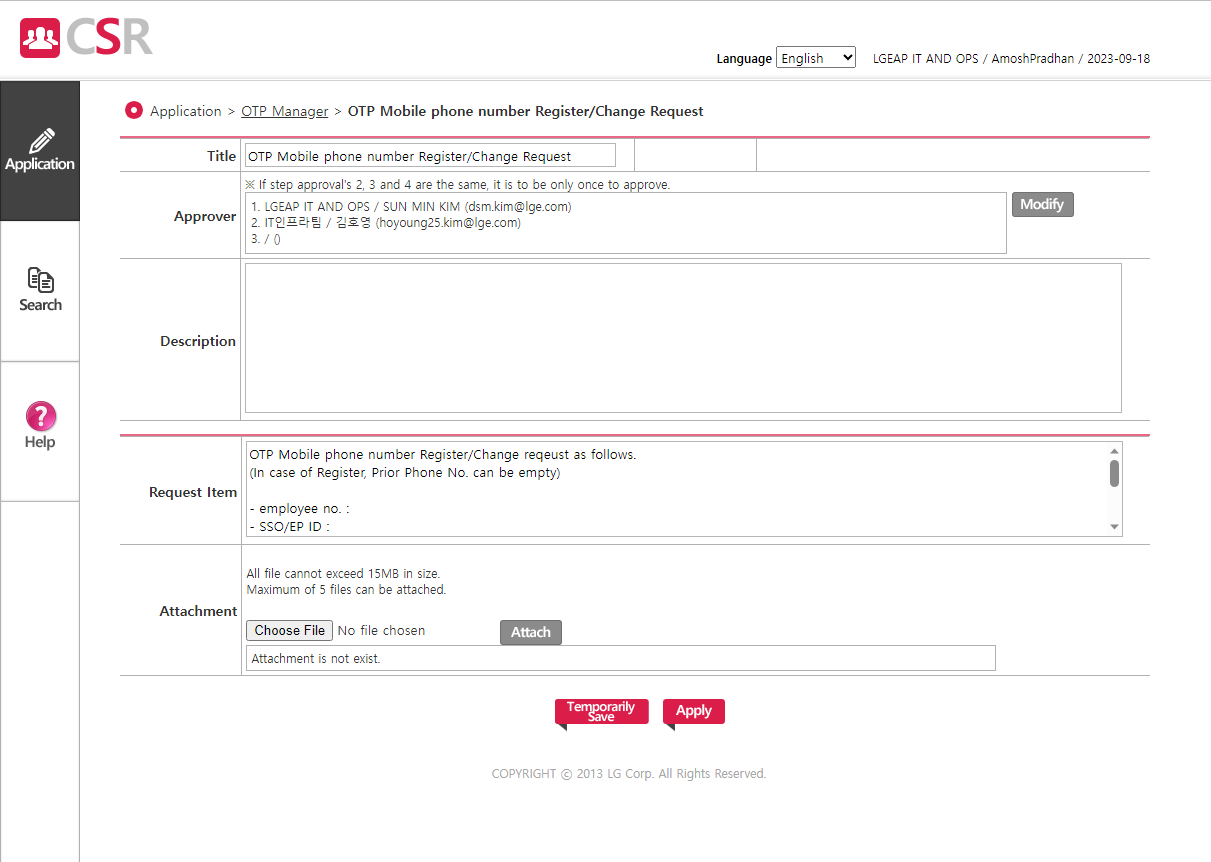
3. And fill the details with reason why you need to change your number> Submit the request.
Was this article helpful?
That’s Great!
Thank you for your feedback
Sorry! We couldn't be helpful
Thank you for your feedback
Feedback sent
We appreciate your effort and will try to fix the article