Login to EP Portal site first.
1. You need to modify/update account information.
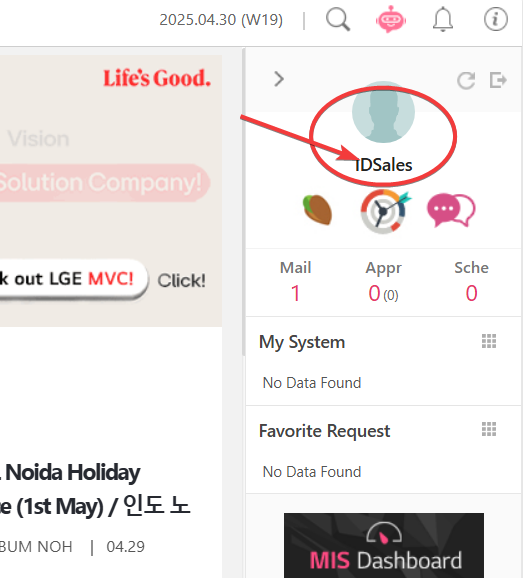
2. Click the account name or photo
3. Click the Edit button
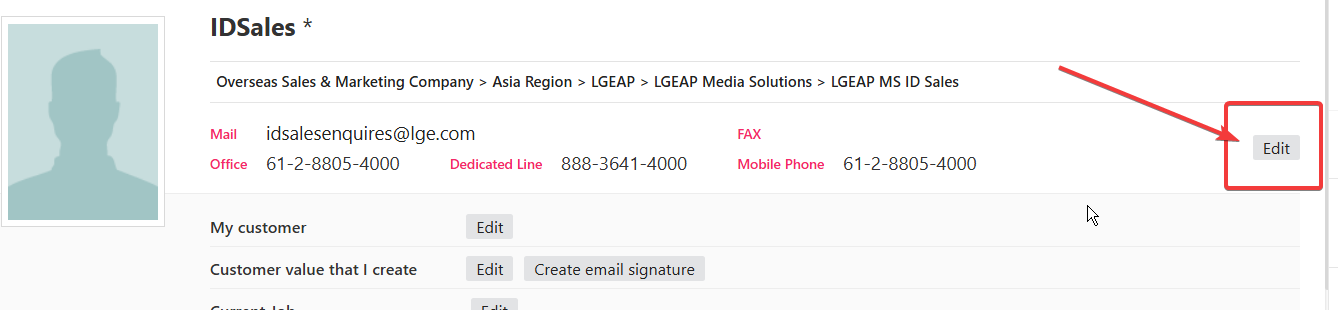
4.Update Personal Identification Code and Personal Email and remember them in case you loose your password or account locked

5. Go back to EP portal and access email
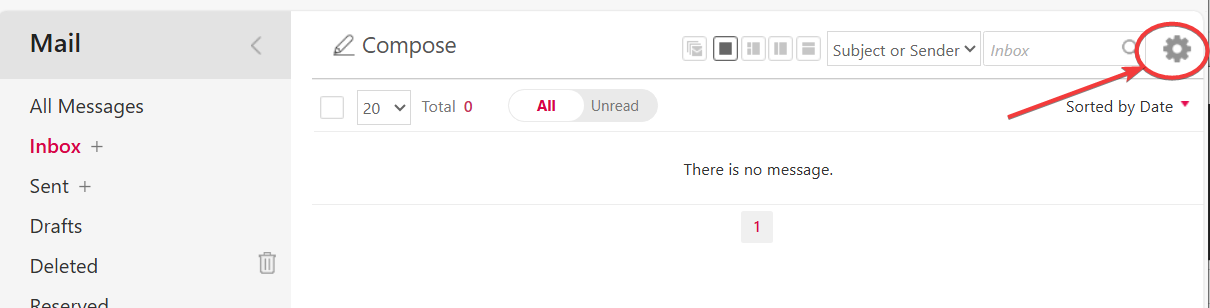
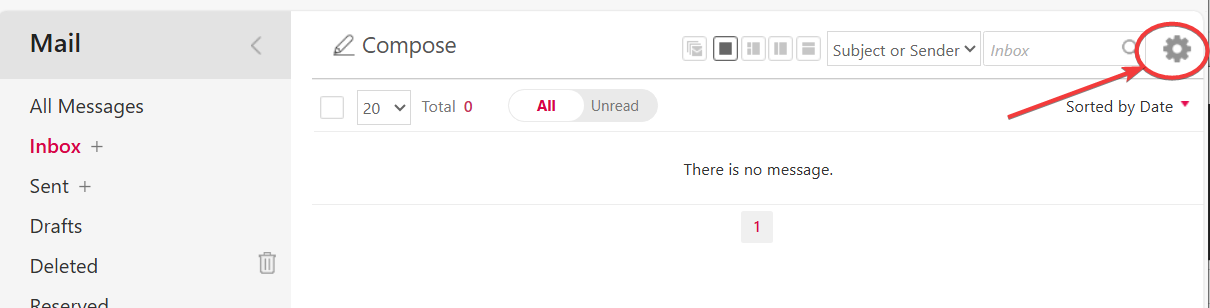
6. Click the Option button
7. Go to Advanced - Mail Delegation option. and then type in the users who need to access this mail box.
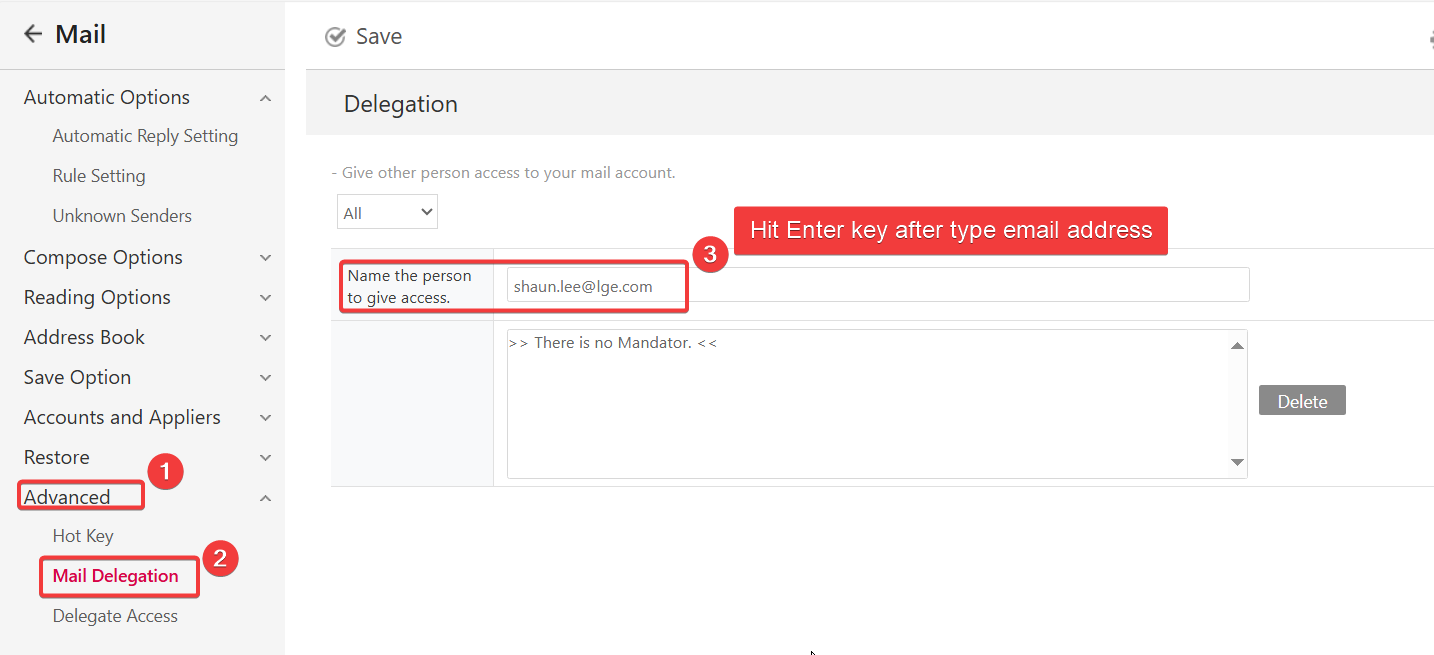
8. Save
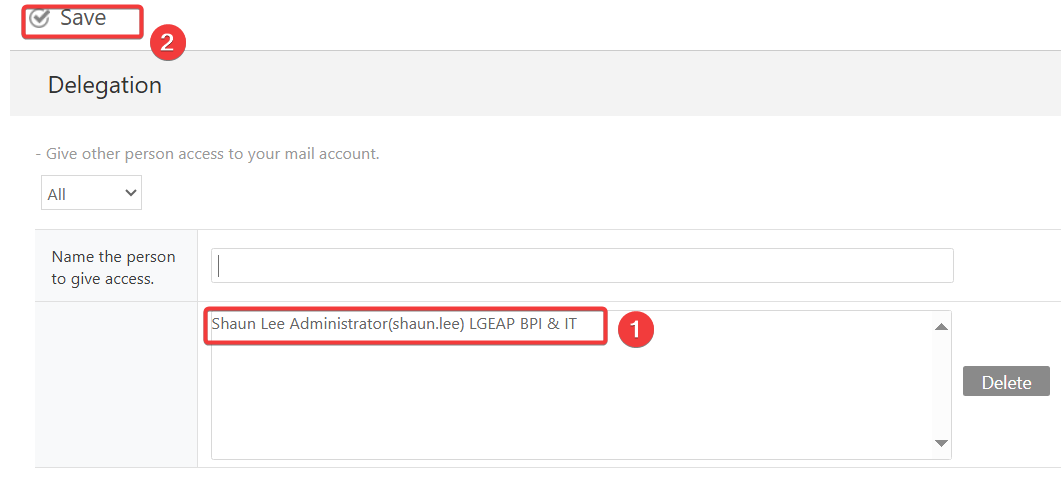
It's all done on the mail box.
Now the users who access this mail box can get into it as below.
1. Go to own mail box and click the option button
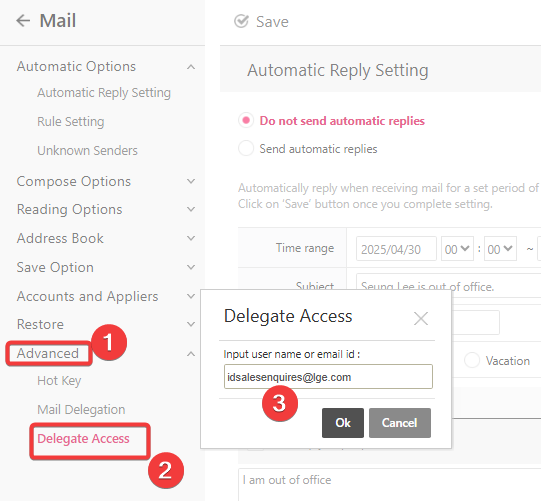
2. Go to Advanced - Delegate Access and then type in the email address to access and click OK.
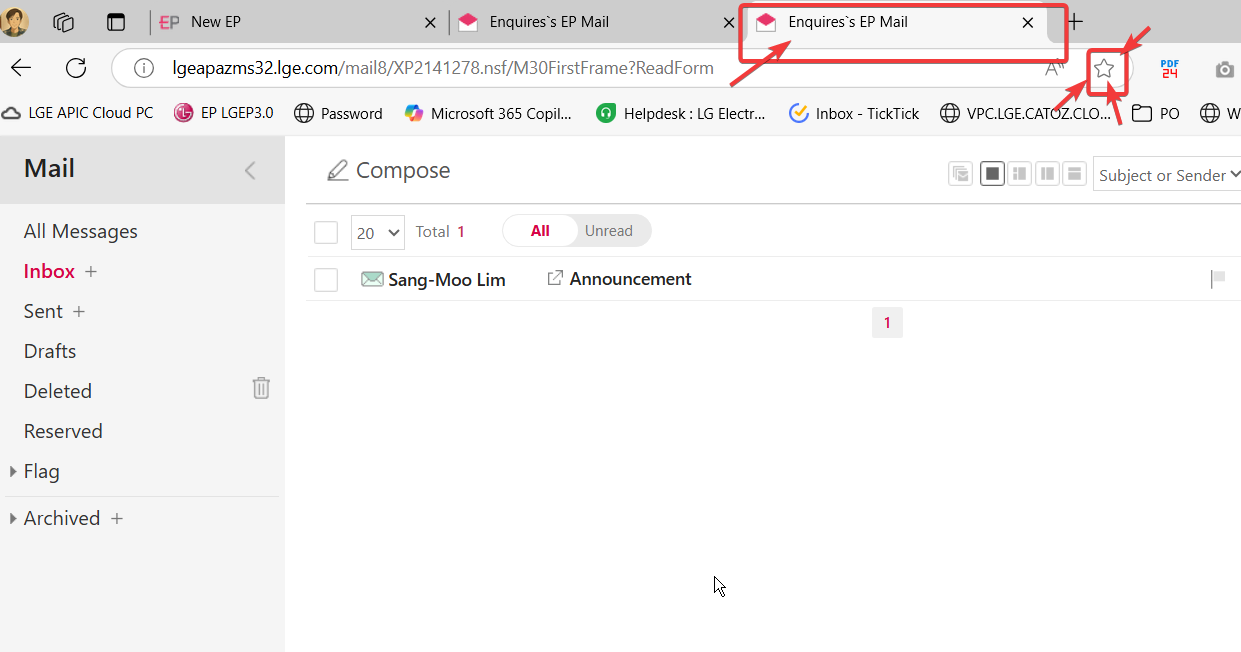
3. It will open a new tab with the delegated email box.
Please note that this mail box won't be accessed from Outlook. Therefore, making a bookmark is much easier to access it directly.
Was this article helpful?
That’s Great!
Thank you for your feedback
Sorry! We couldn't be helpful
Thank you for your feedback
Feedback sent
We appreciate your effort and will try to fix the article