1.
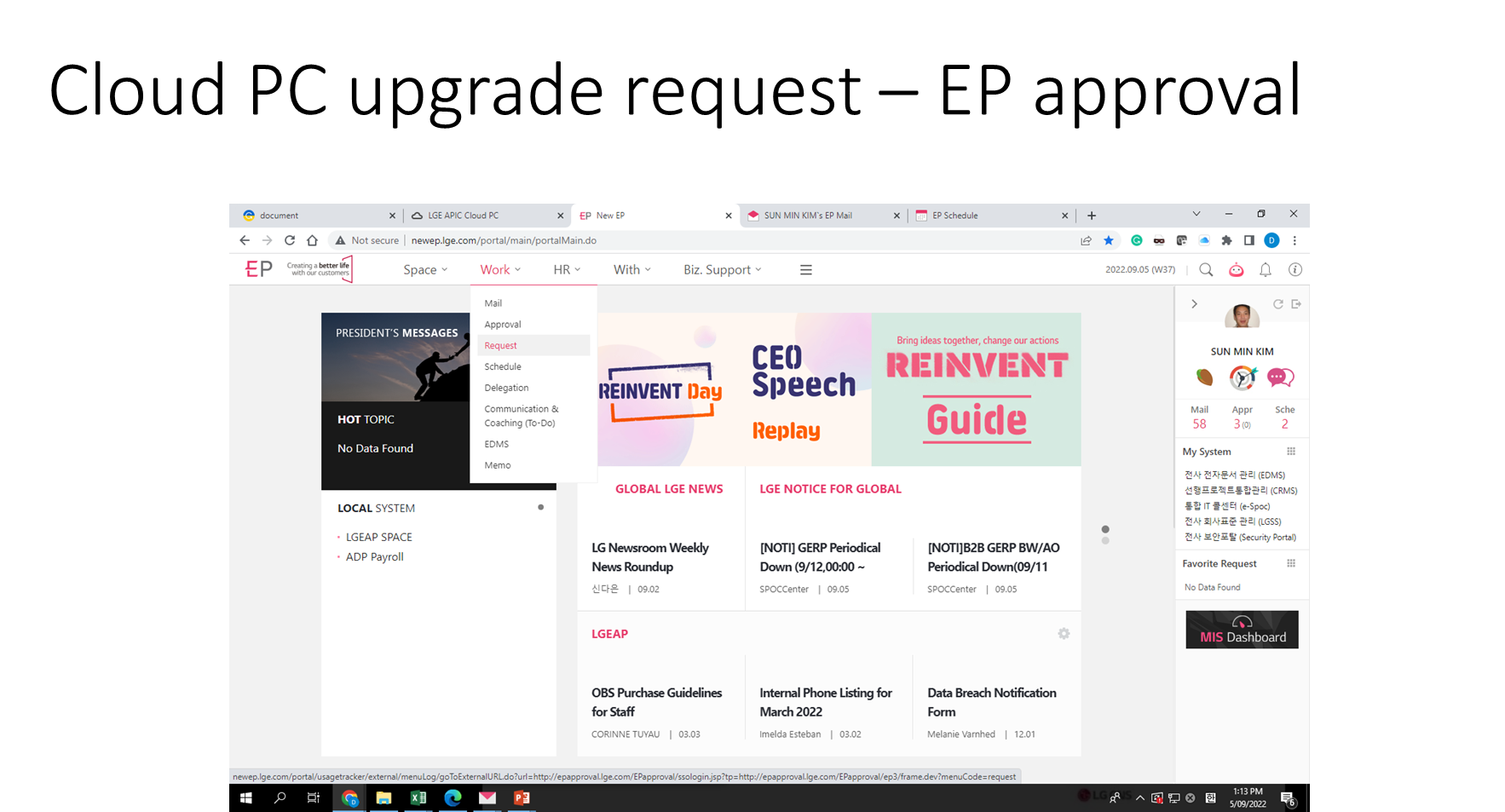
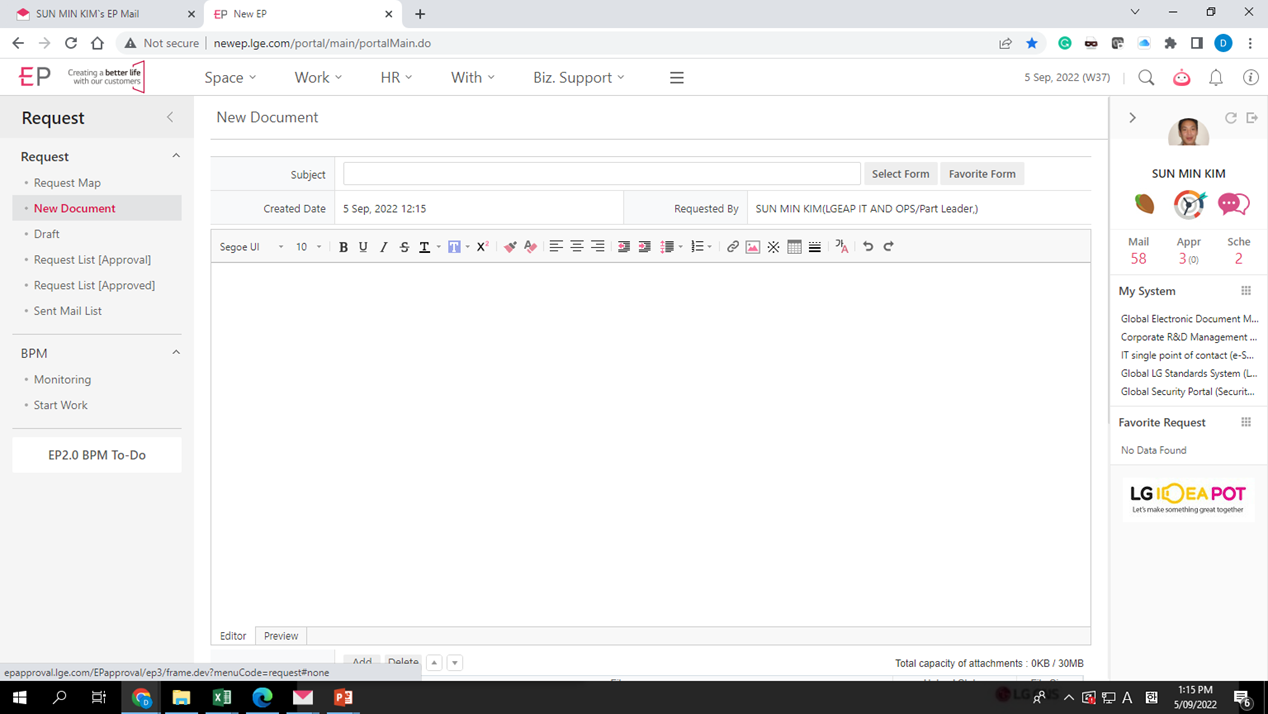
2.
3.
4.

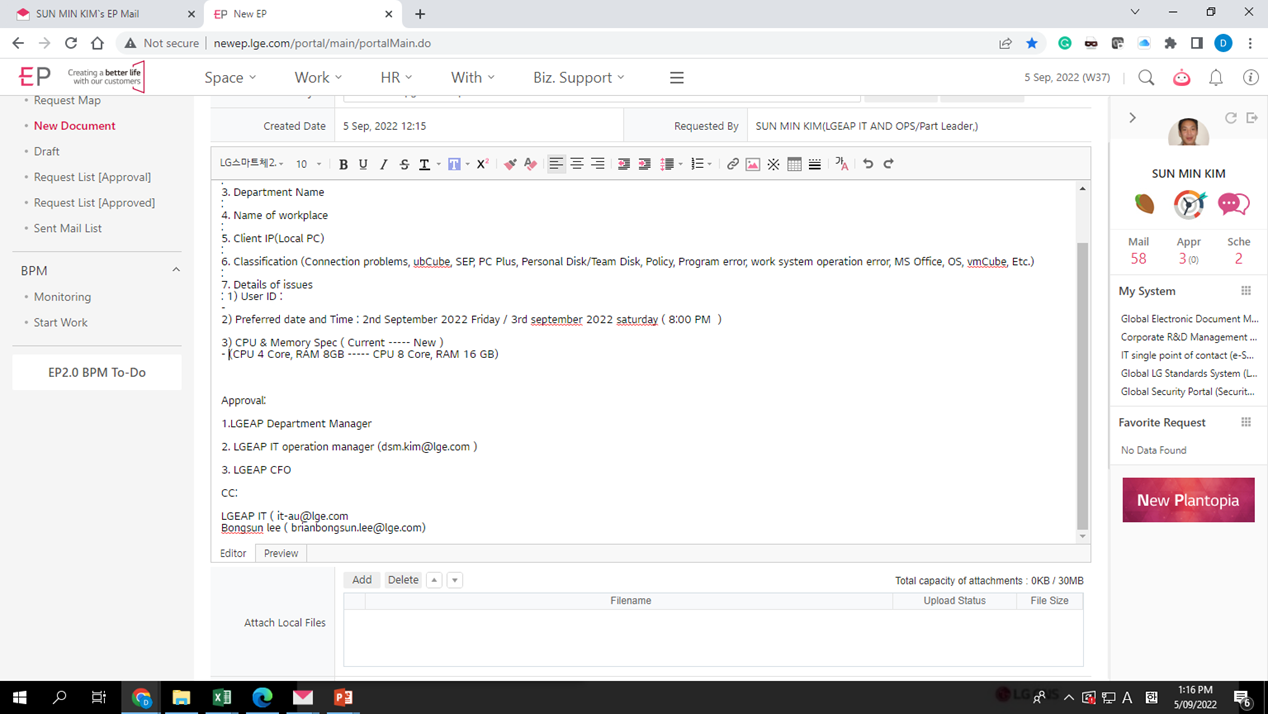
1. User ID
2. User VM Name
3. Department Name
4. Name of workplace
5. Client IP(Local PC)
6. Classification (Connection problems, ubCube, SEP, PC Plus, Personal Disk/Team Disk, Policy, Program error, work system operation error, MS Office, OS, vmCube, Etc.)
7. Details of issues
-SSO ID : martin.kim ,
-Cloud pc IP : 10.226.148.243,
-Cloud pc id : LGEN1VPC10022
2) Preferred date and Time :example
2nd September 2022 Friday / 3rd september 2022 saturday ( 8:00 PM )
3) CPU & Memory Spec ( Current ----- New )
example - martin.kim (CPU 4 Core, RAM 8GB ----- CPU 8 Core, RAM 16 GB)
Approval:
1.LGEAP Department Manager
2. LGEAP IT operation manager (dsm.kim@lge.com )
3. LGEAP CFO
CC:
LGEAP IT ( aamosh.Pradhan@lge.com)
Bongsun lee ( brianbongsun.lee@lge.com)
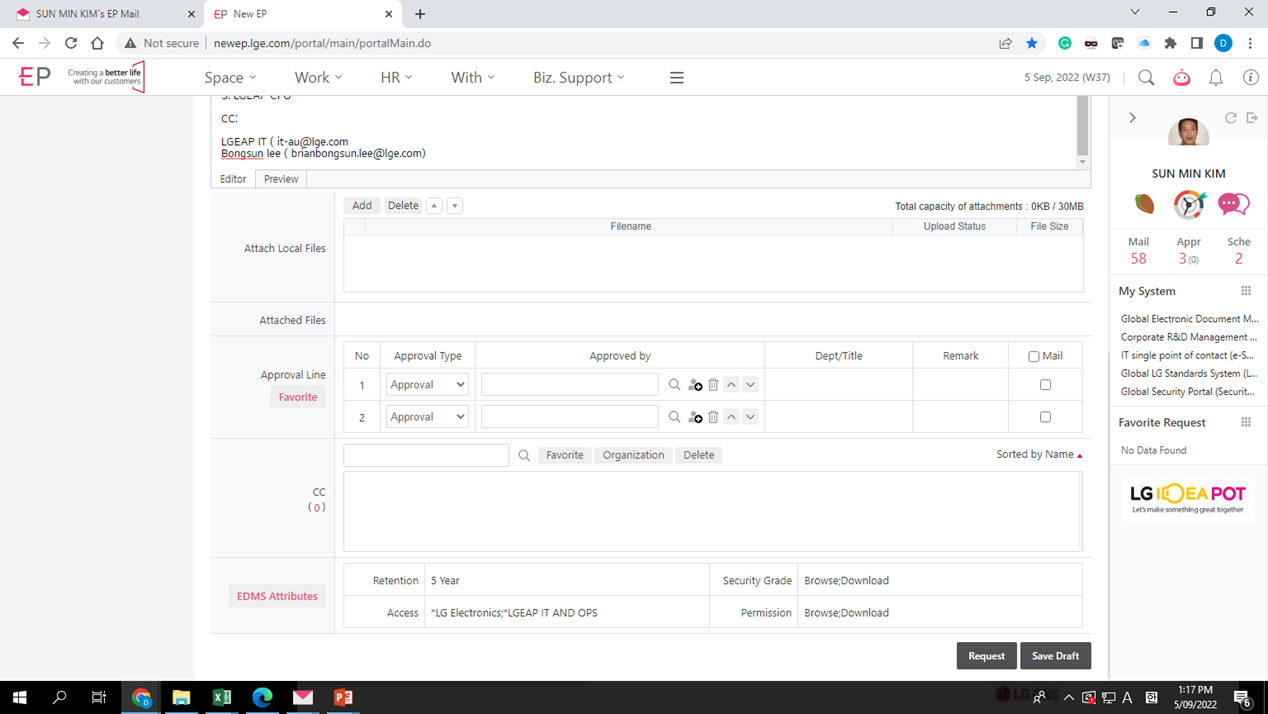
5.
Was this article helpful?
That’s Great!
Thank you for your feedback
Sorry! We couldn't be helpful
Thank you for your feedback
Feedback sent
We appreciate your effort and will try to fix the article