1.) On your Cloud PC you can right click on the UBCube Icon, then 'Apply for Local Download'
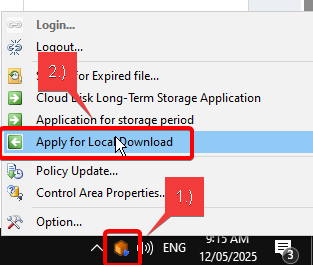
2.) Apply for Local Download by first selecting the file location of the local PC area and then adding the file you wish to transfer out of Cloud.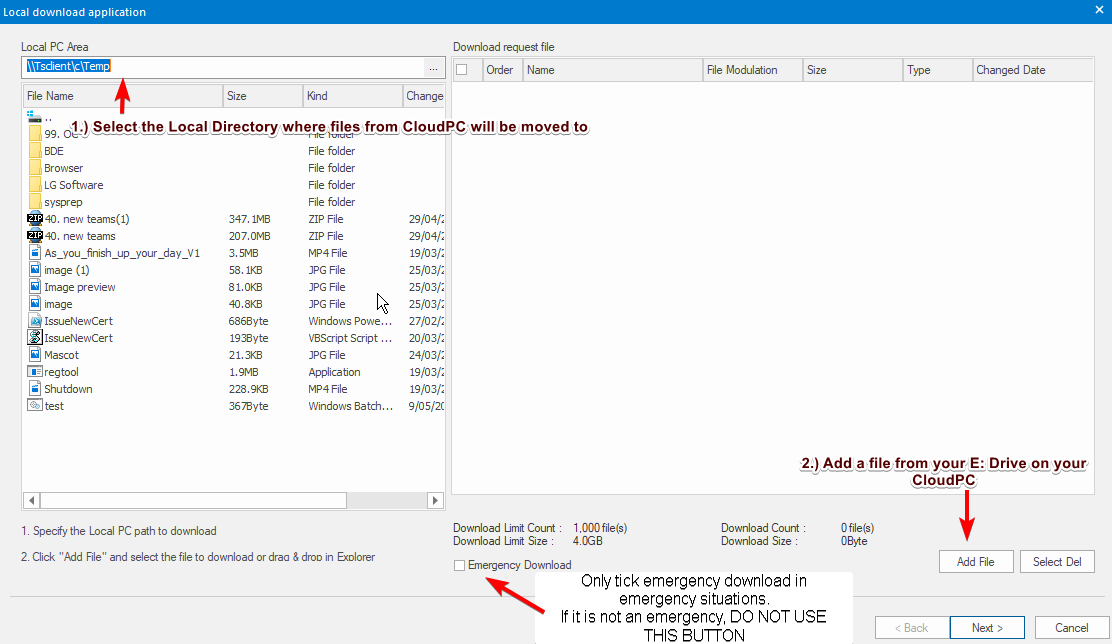
3.)Click Next and wait for manager approval to allow UBCube to download a copy of your E:Drive file to your local computer.
Was this article helpful?
That’s Great!
Thank you for your feedback
Sorry! We couldn't be helpful
Thank you for your feedback
Feedback sent
We appreciate your effort and will try to fix the article