Some users may face the issue of printer scans being sent to the 'Deleted' folder or another unintended folder.
To fix this,
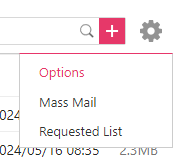
1.) Click on the Settings Icon on the top right hand corner of the EP Mail box on your browser.

2.)Click on Options
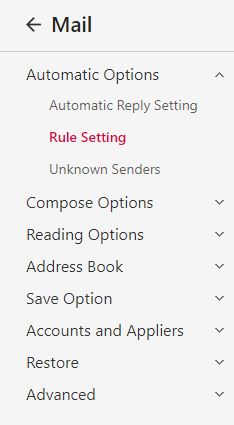
3.) On the left hand side bar, click on Rule Settings
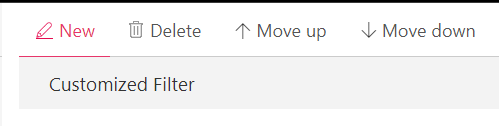
4.)Click on 'New'
5.)Configure the Rule via the example below with the email address being the one that is used by the printer.
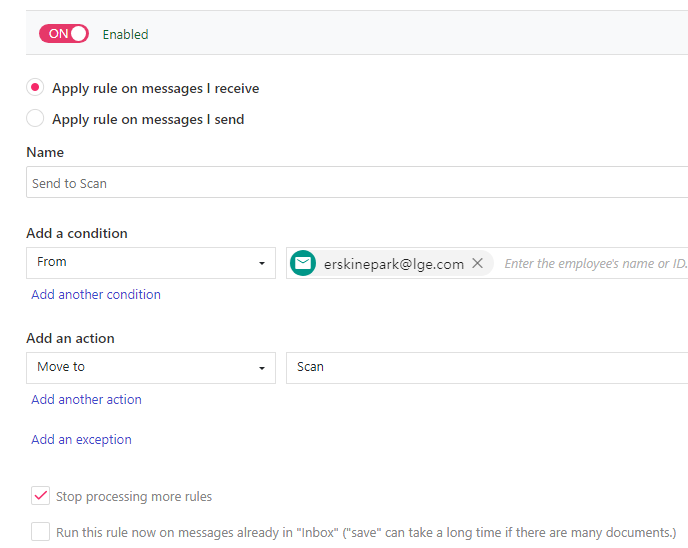
6.) Click on Save
Was this article helpful?
That’s Great!
Thank you for your feedback
Sorry! We couldn't be helpful
Thank you for your feedback
Feedback sent
We appreciate your effort and will try to fix the article