Please go to the Cloud Disk site on the Local PC.
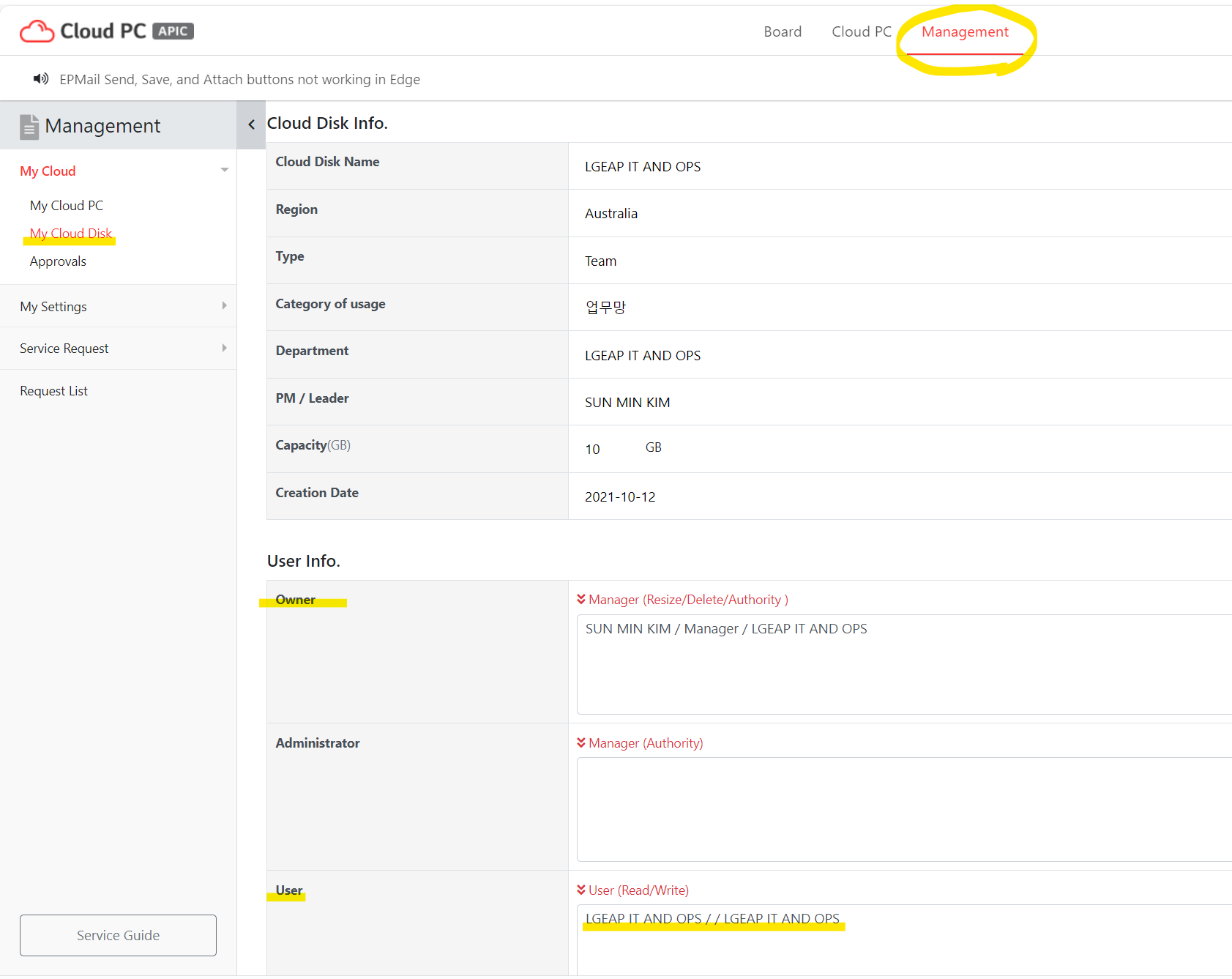
1. Please check the Cloud Disk owner and get him to add new users on the user list.
For example, go to the Cloud PC site on the local PC (not Cloud PC) and Management menu. you will see the owner of the disk.
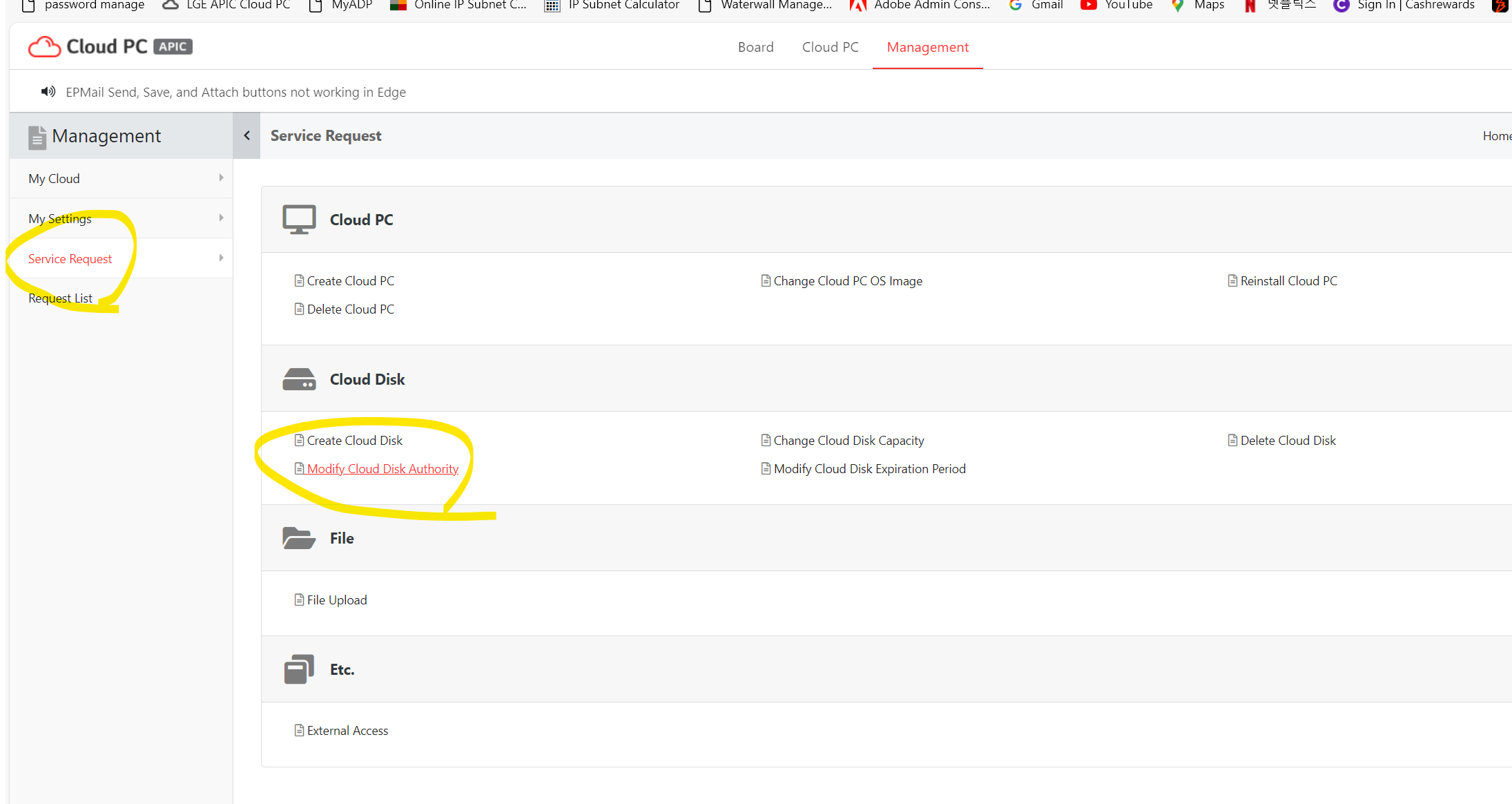
2. The owner can raise a Request to add new users under the Service Request menu.
Was this article helpful?
That’s Great!
Thank you for your feedback
Sorry! We couldn't be helpful
Thank you for your feedback
Feedback sent
We appreciate your effort and will try to fix the article