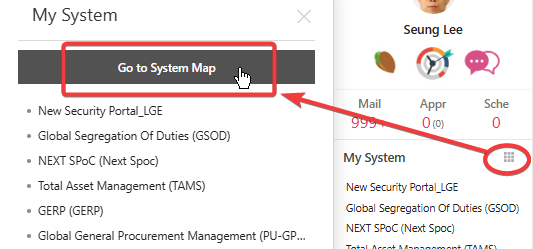
1. Go to System Map.
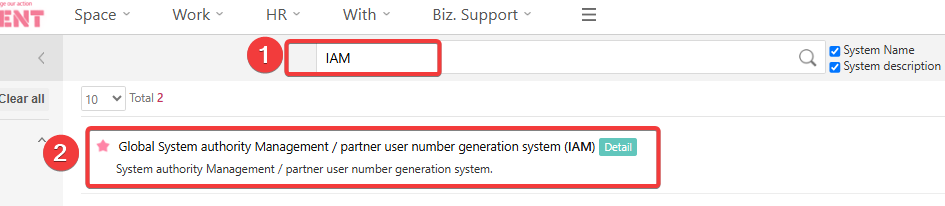
2. Search by IAM and select IAM system.
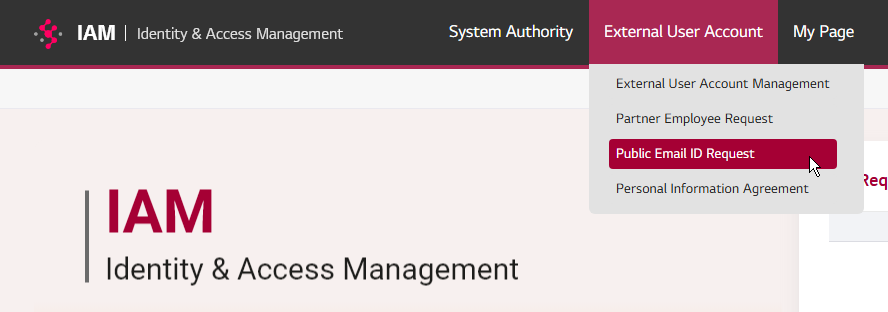
3. Select the "Public Email ID Request" menu under the External User Account
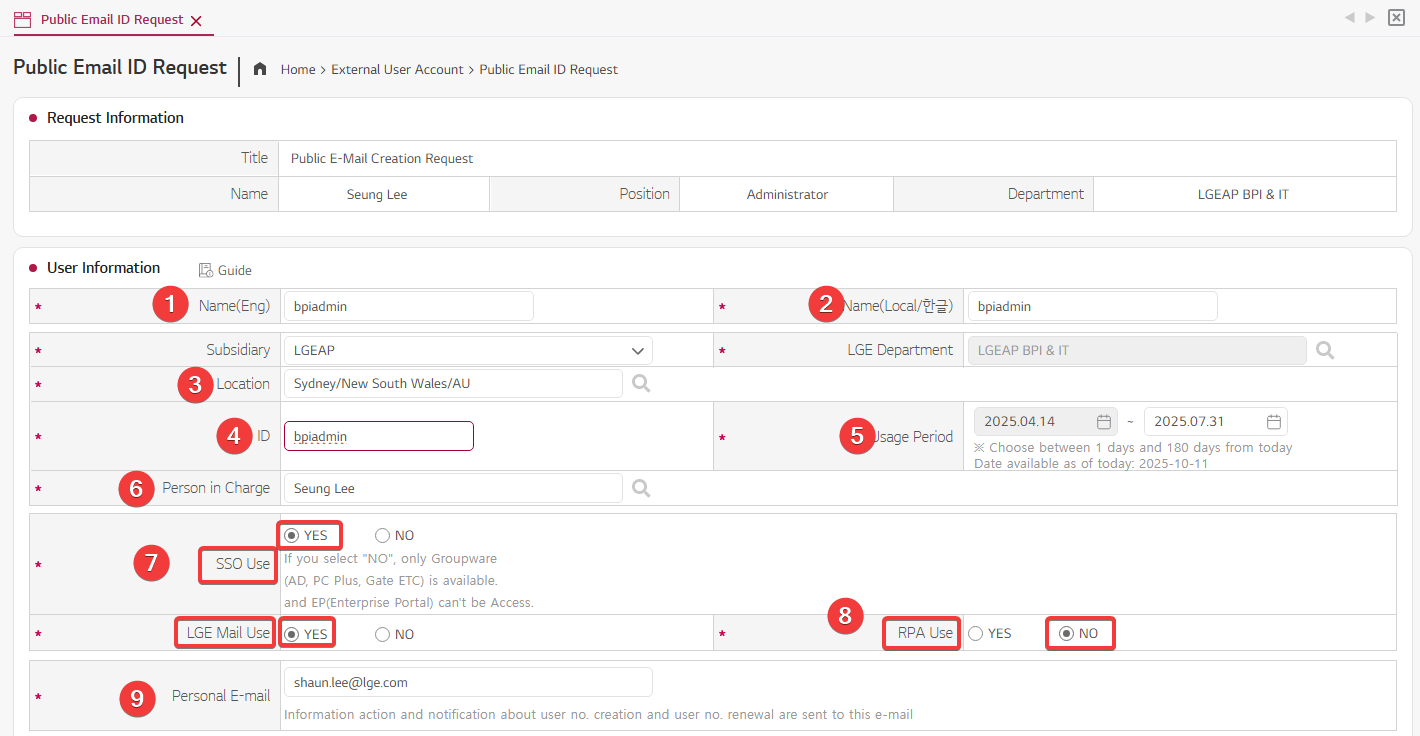
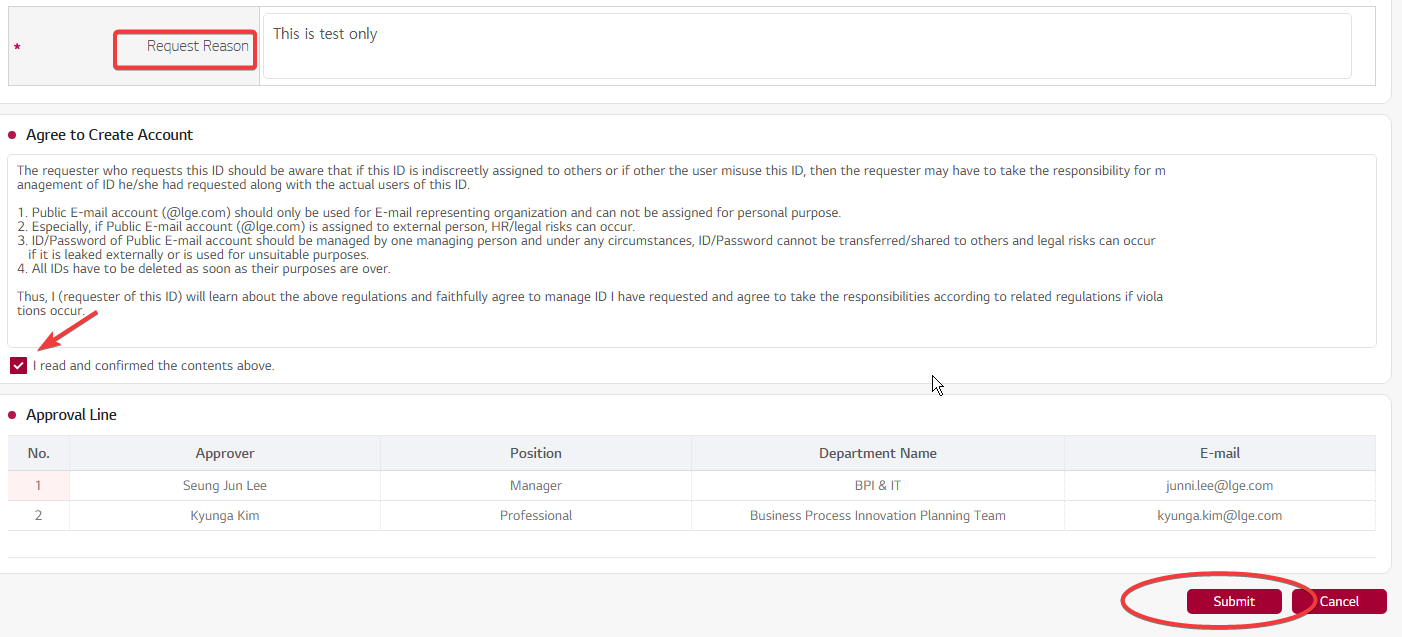
4. Fill out the form. Please refer the below sample form. and then click the submit button.
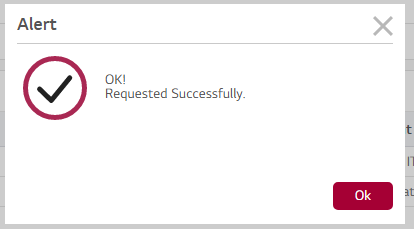
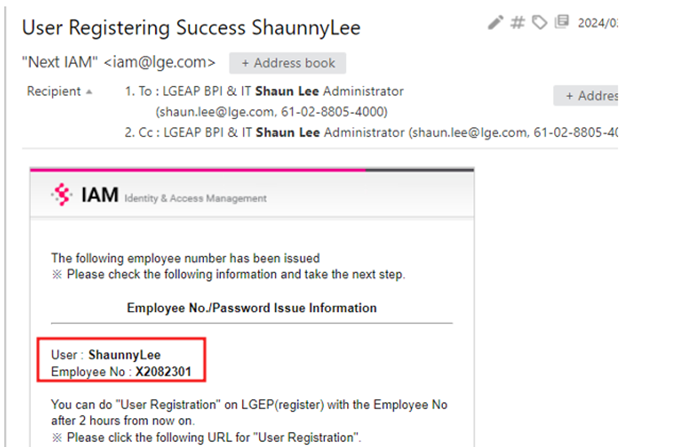
5. Once your Public email address, please contact IT team with the employee number. So IT team can activate the account.
6.
Once AD account request is approved, Requester will get the email with detailed information. Please forward this info to ask@lge.com.au so IT can start setting up SSO account (AD and Email)
Was this article helpful?
That’s Great!
Thank you for your feedback
Sorry! We couldn't be helpful
Thank you for your feedback
Feedback sent
We appreciate your effort and will try to fix the article