The issue has been observed with older laptops (eg .Grey LG Grams)
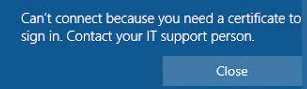
Can't connect because you need a certificate to
sign in. Contact your IT support person.
1.) Connect to Hotspot or IT Wifi
2.) Go to Windows Updates
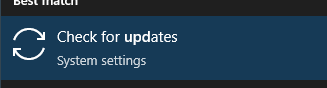
3.) Update the laptop
If the update fails, check go to Additional Troubleshooters and then troubleshoot issues related to preventing Windows from updating.
If all else fails, reimage the laptop.
Was this article helpful?
That’s Great!
Thank you for your feedback
Sorry! We couldn't be helpful
Thank you for your feedback
Feedback sent
We appreciate your effort and will try to fix the article